Multi-Factor Authentication
An outdated MFA portal was generating support tickets and failing self-service. I redesigned it from the ground up.
Growth lens: self-serve onboarding. A registration flow people finish alone, with a nudge toward Passwordless.
Users couldn't self-serve. Support was paying the price.
The internal MFA portal was outdated, ADA non-compliant, and failing users at registration, so support channels were flooded.
My task: redesign the portal to drive self-service registration, and nudge users toward Passwordless where possible.
Industry audit + existing findings.
The MFA team had already done research, so I ran an industry audit. Credit card companies use "bright" banner patterns to nudge users toward preferred options; I applied that to MFA enrollment. The existing research named three problems:
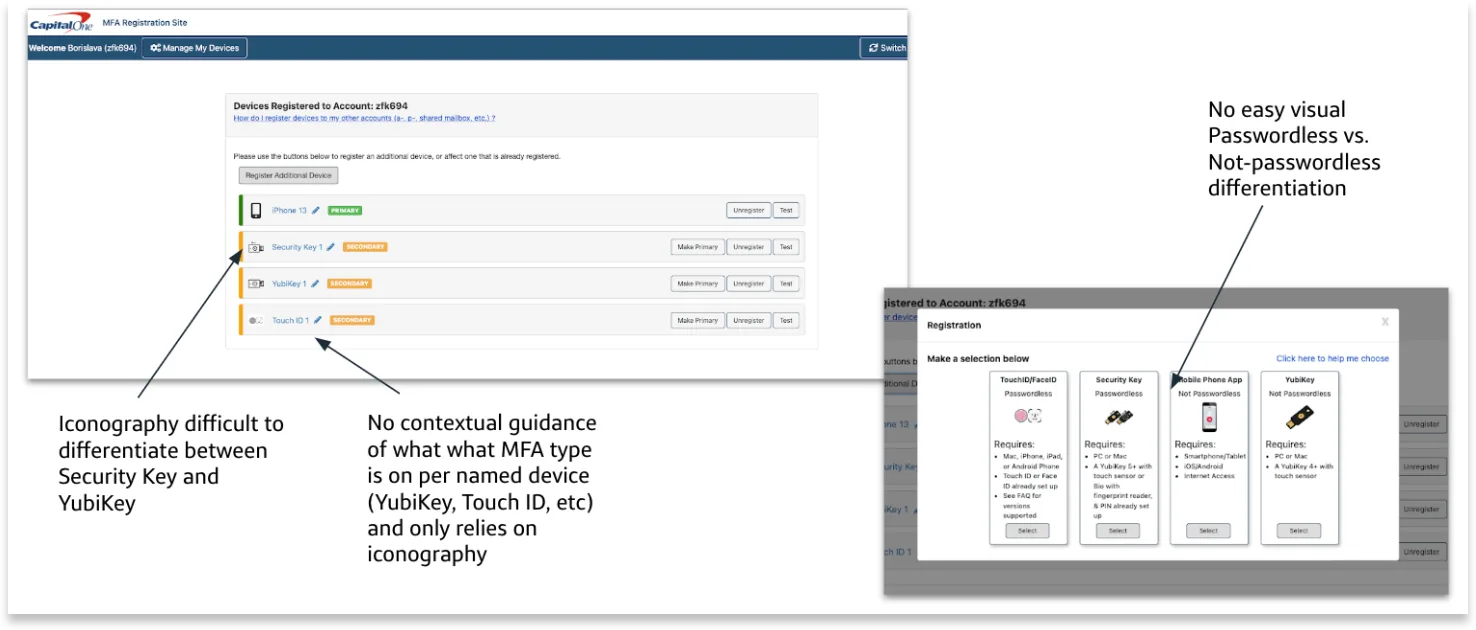
Industry audit · existing research findings
Happy path first. Then iterate on the options split.
With the product team, I diagrammed the happy path for MFA selection and registration, then explored UI patterns for the Passwordless vs. non-Passwordless split.
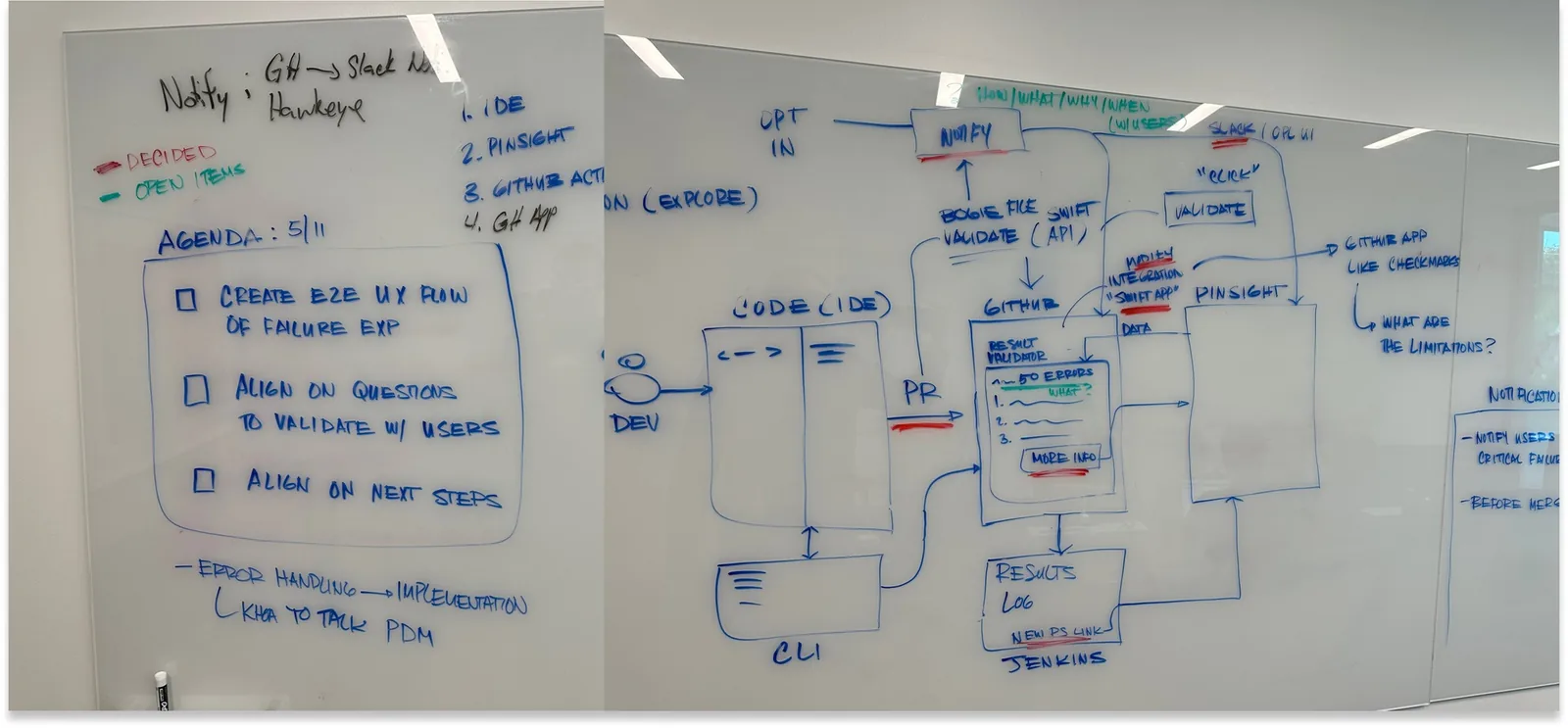
Happy path diagram · MFA selection and registration flow
An early idea, separate rows with a collapsible for Passwordless requirements, added too much cognitive effort. I killed it fast. Simplicity won.
ADA compliance + Passwordless nudge + clean UI.
I checked every screen against ADA standards, updating font sizes, color contrast, and iconography to Capital One's Gravity design system.
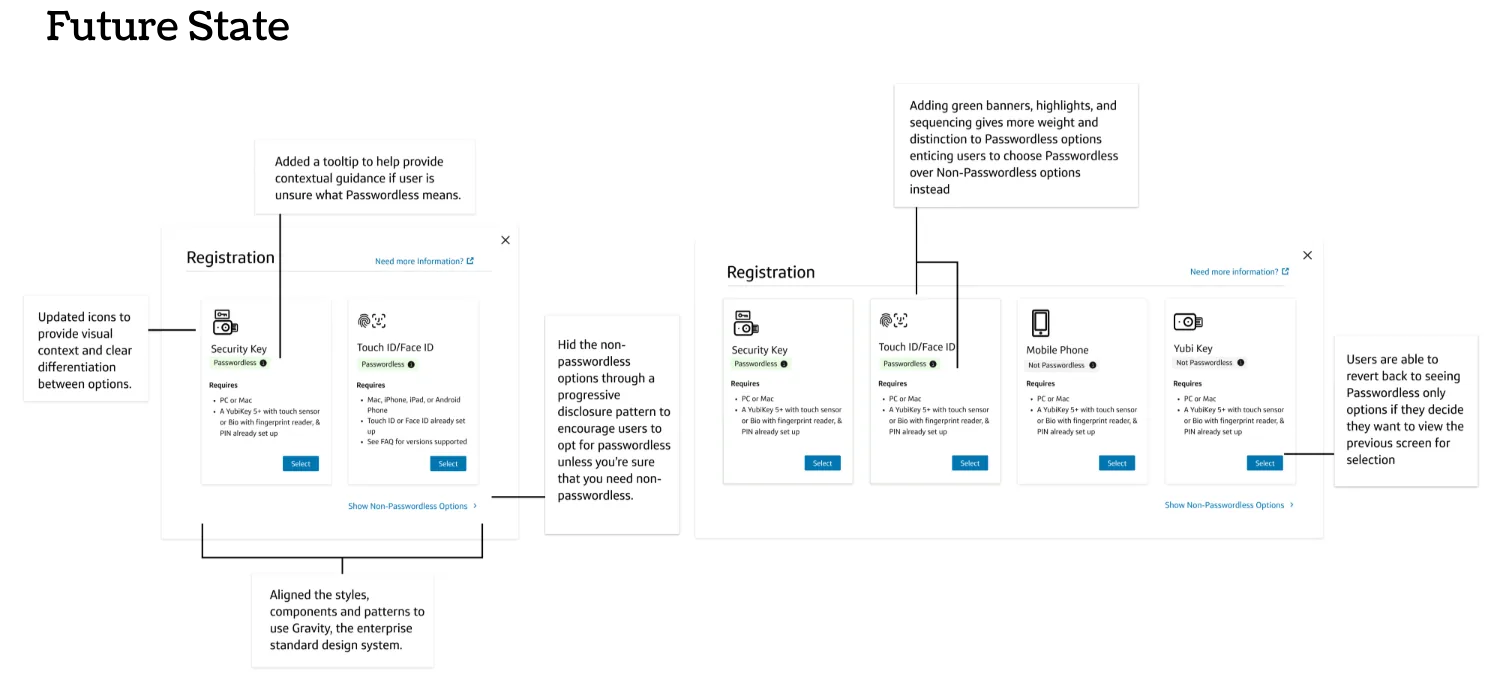
Mid-project, leadership paused recommending Passwordless to users. I redesigned into an MVP state (no Passwordless push) and a future state (nudge ready when the restriction lifted).
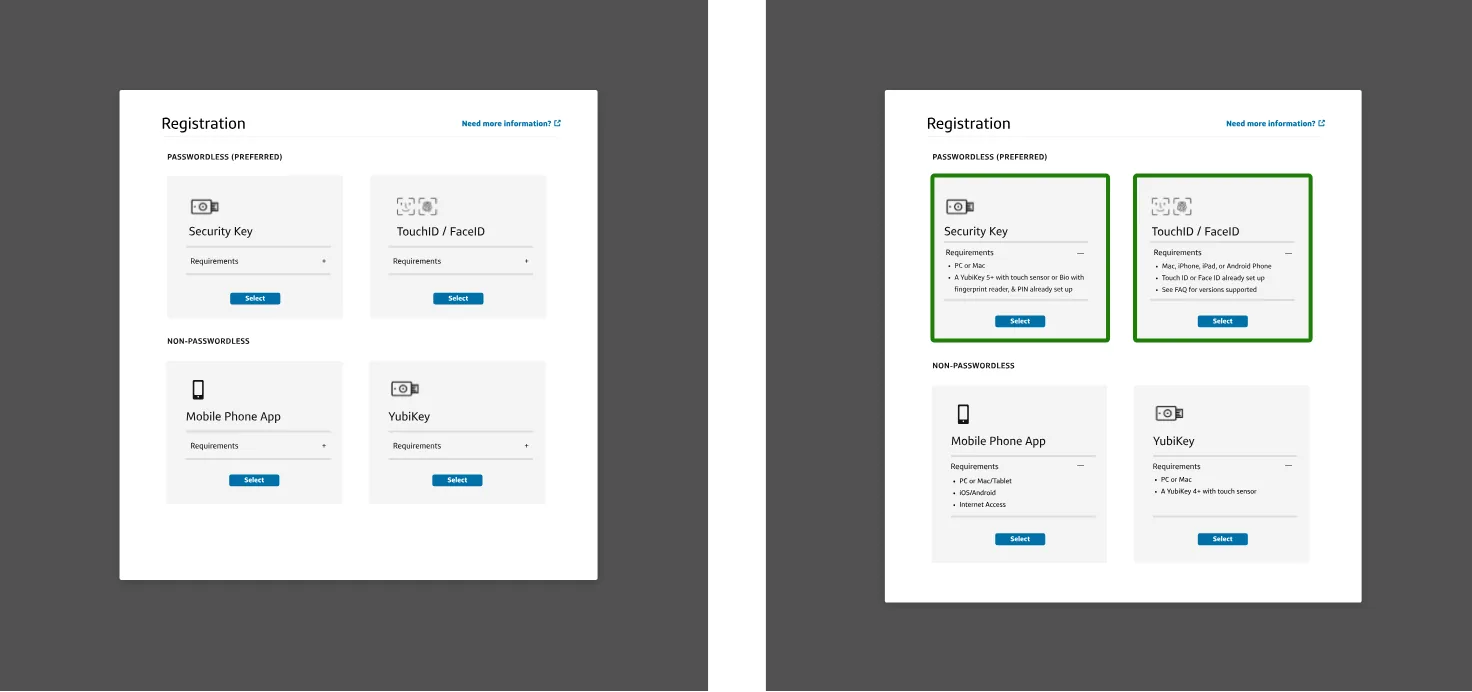
Prototypes · MVP state + future state with Passwordless nudge
10 interviews. Mostly positive. Two real issues found.
10 usability interviews with power and non-power users tested two goals: would users opt for Passwordless, and could they register without support?
I folded in the feedback, polished the UI, and launched.
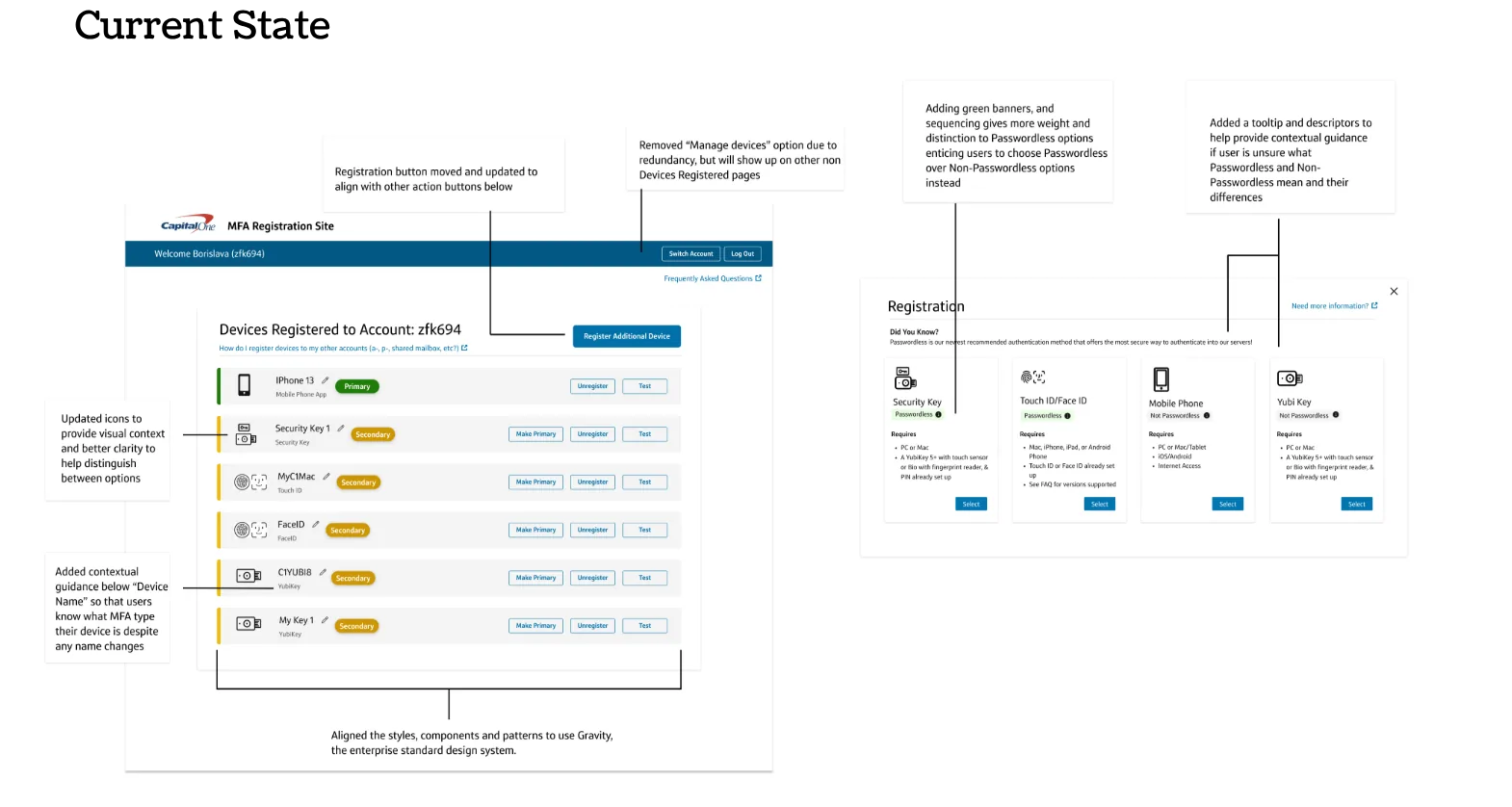
Usability testing · 10 interviews · findings and fixes
Two key screens.
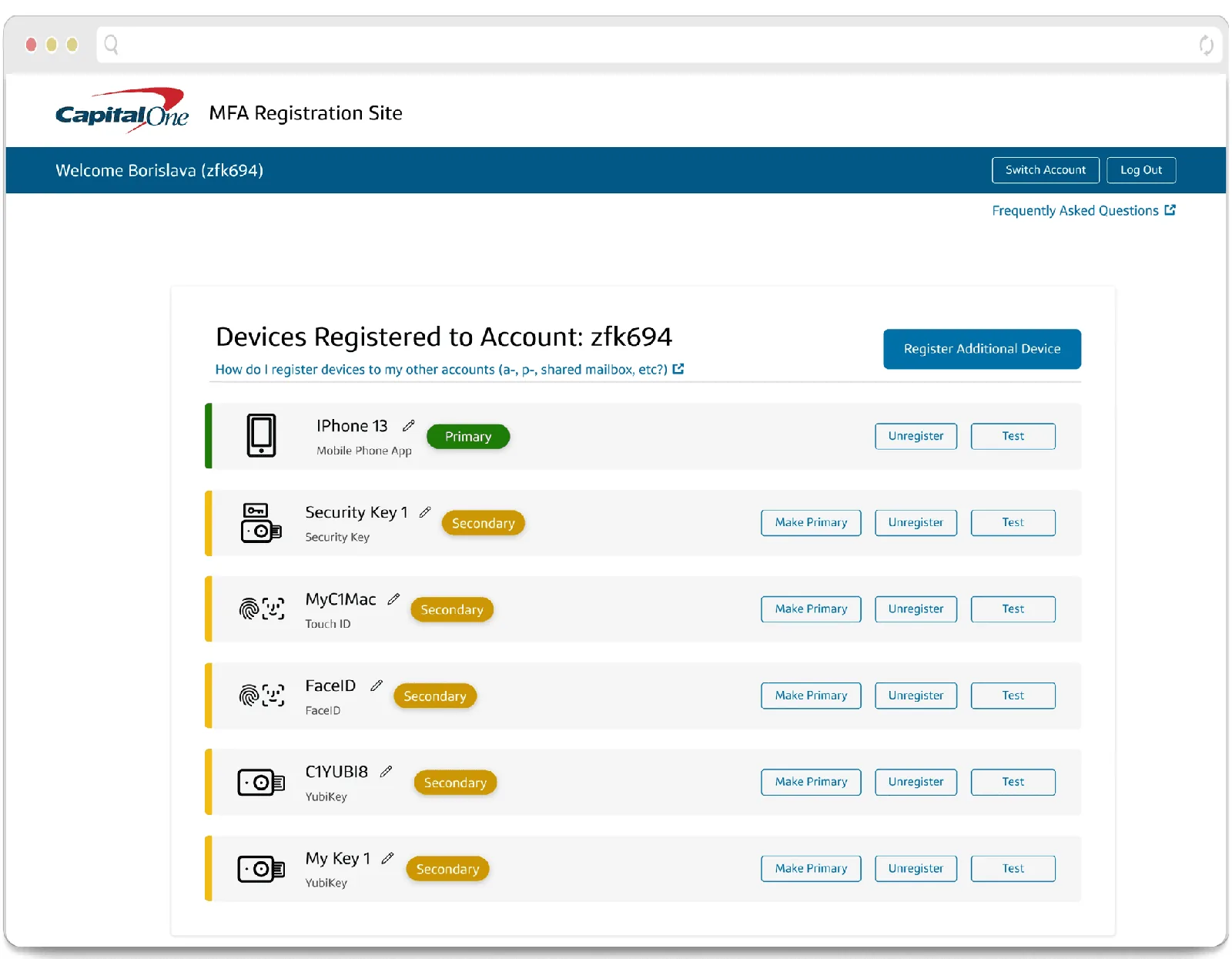
Registration & select device · ADA compliant · Gravity design system
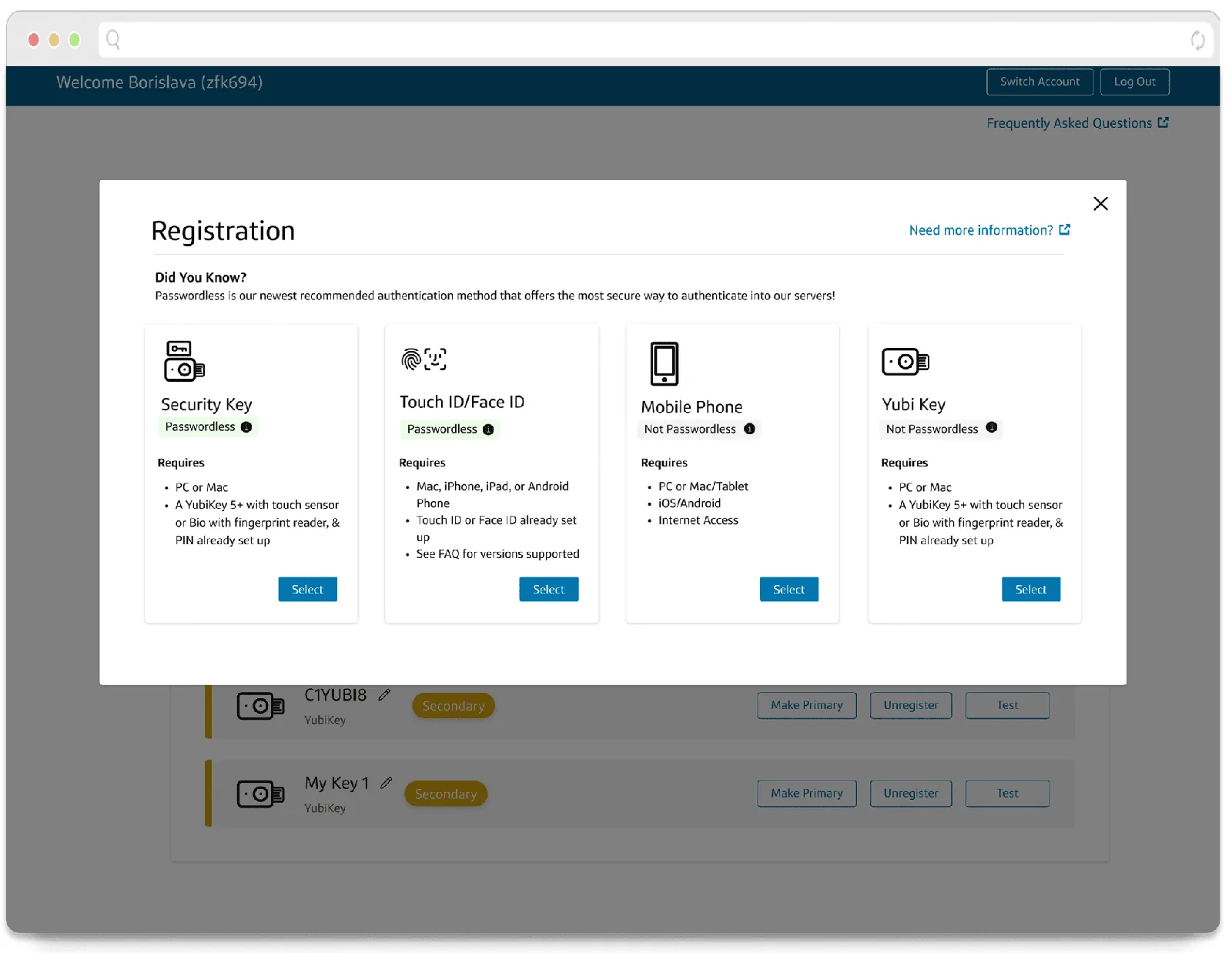
Register new device · future state nudge
60,000 users. 2–3K registrations a day at peak.
The redesign rolled out to all 60,000 users in scope.
Passwordless registration rate increased 25 percentage points (from 50% to 75%). The support team saw a 10% decrease in Slack questions after launch.
Design for real constraints. Ship both states.
I treated the Passwordless restriction as a forcing function, not a blocker: ship a clean MVP, keep the future state ready.
A pattern I've used since: design both what you can ship now and what you want to ship later. It keeps momentum and reduces rework.