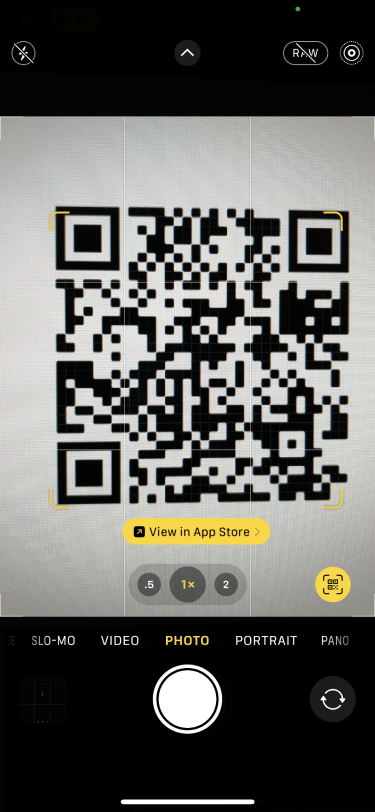
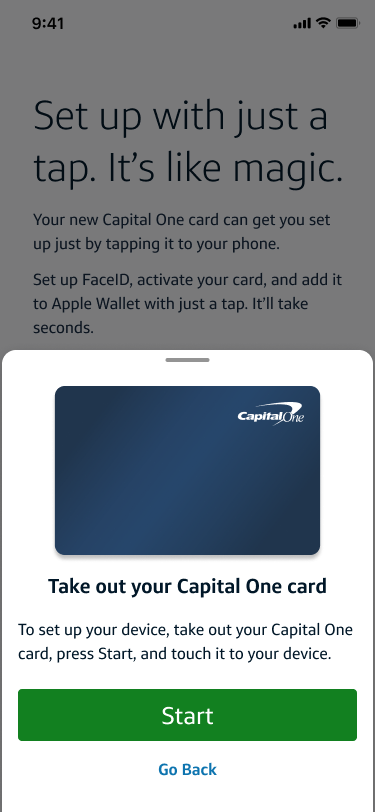
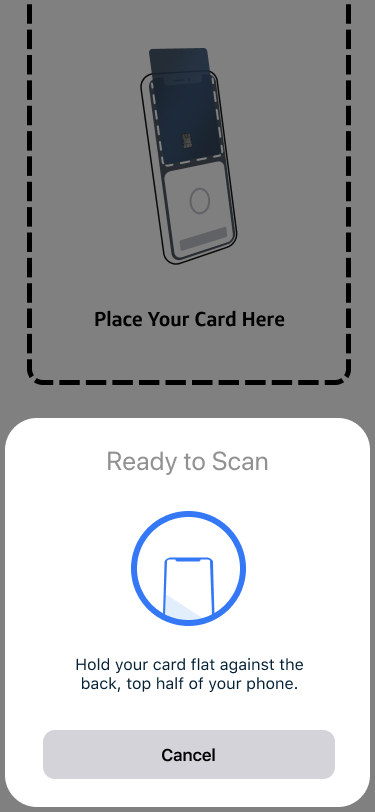
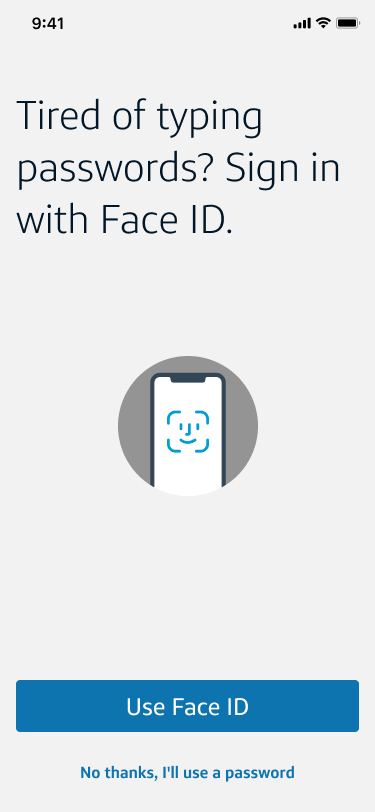
Capital One shipped premium cards with a QR code on the carrier. The code worked. Nothing inside connected. Customers had to find Presto, set up Face ID, provision Apple Wallet, and enable notifications across five disconnected moments. I collapsed it into one.
A customer receives a new Venture X in the mail. They scan the QR code on the carrier. The goal: by the time they put the phone down, the card is activated, Presto tap-to-pay works, Face ID is enrolled, Apple Wallet is provisioned, and push notifications are on. No app navigation. No second sitting. No support ticket.
"Set up with just a tap. It's like magic.", the north star for every screen.
The biggest design choice wasn't what to show, it was what to not show. Silent Mobile Auth could authenticate enrolled customers invisibly during the Presto tap. No "Verifying your identity…" screen. No loading state. The Presto gesture itself became the cover for authentication.
Everywhere I could remove a step, I did. Where I couldn't, credential creation for non-enrolled customers. I framed it as a milestone, not a checkpoint. The flow had to feel like one continuous gesture, even when it diverged.
Every Capital One customer holding a Venture X carrier had one of two profiles. The flow had to handle both gracefully, without a jarring branch or asking customers to identify themselves upfront.
Existing online credentials. The app verifies identity in the background during the Presto tap. From the customer's side, nothing happens, the flow just advances. Speed and delight.
Pivot: invisible auth during tapPhone-and-mail customers, never online. SMA can't verify them. Credential creation surfaces at exactly the divergent step, celebrated with an Enrollment Success screen before continuing into Presto.
Pivot: credential creation as milestoneBefore any screen got polished, the team needed to see the journey end-to-end, both scenarios, every system dialog, every divergence. I built this annotated horizontal flow in Figma as the single source of truth: every step numbered, every screen captioned, every handoff point documented. Engineering used it for handoff. Stakeholders used it to give one round of feedback instead of seven.
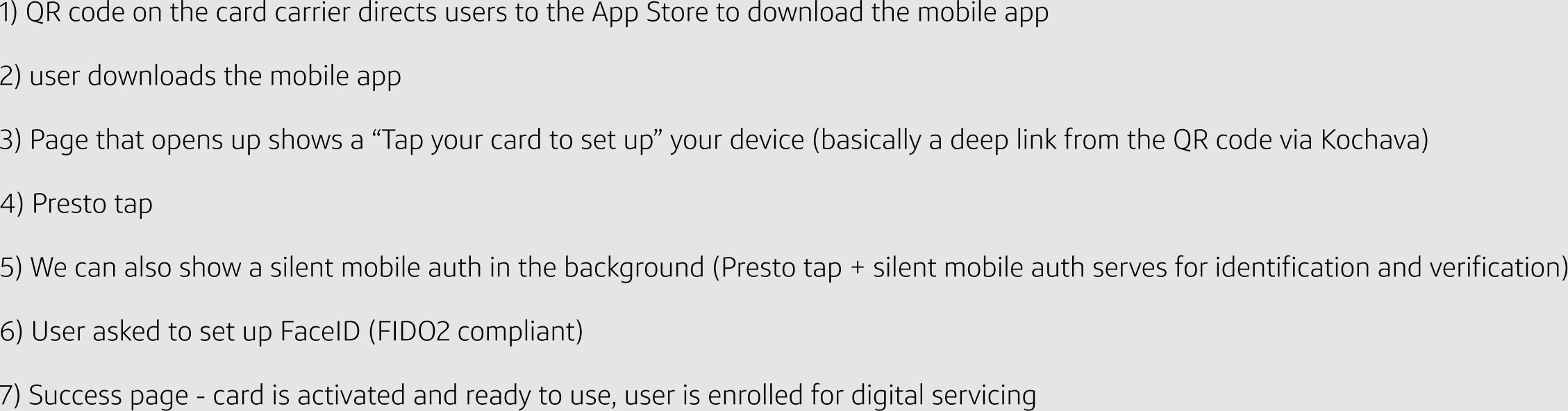
7 steps: QR code on carrier → App Store → deep link to Presto Setup → Presto tap → silent mobile auth + identity verification → Face ID (FIDO2) setup → success state (card activated, digital enrollment complete).
The core experience plus the closing surfaces. QR scan → primer → tap → biometric → silent auth → device pay → Apple Wallet success → activated home state. The system dialogs and Apple Pay provisioning screens are where the iOS native experience hands off, and where most flows lose the customer. These were designed to feel like one continuous moment.

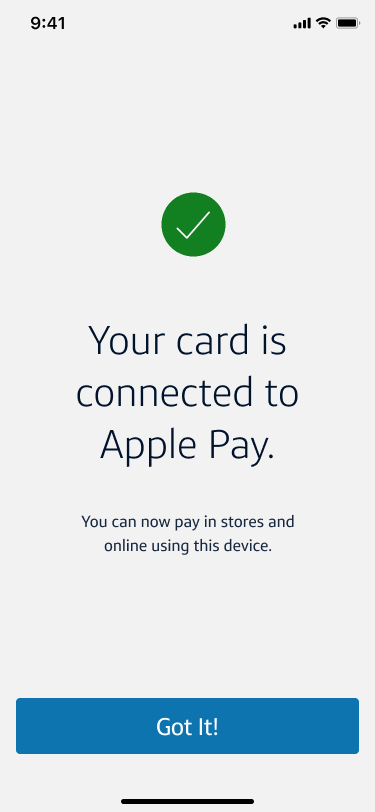

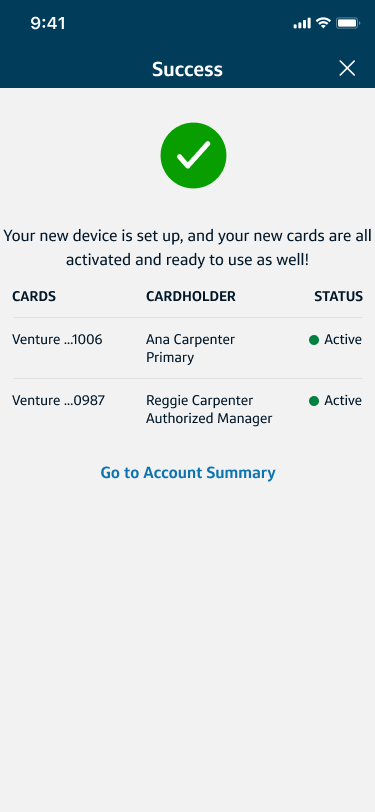
20+ specced screens across both scenarios, all system dialogs, edge-case states (notifications previously denied, credential error paths), and a documented Figma file ready for engineering handoff. The fragmented activation journey was now one continuous gesture, designed as a single product moment instead of a sequence of disconnected ones.
If I were doing this today, I'd cut the App Store variants, the brief had four (Not Installed Yet, Ready to Open, Install Prompt, Install Complete) where one was enough. Default to the system. I'd also fight harder on personalized card art, descoping that to a "future iteration" was the wrong call. It was the cheapest delight in the flow.